
Real-Time Data Analytics Case Studies for Freshers
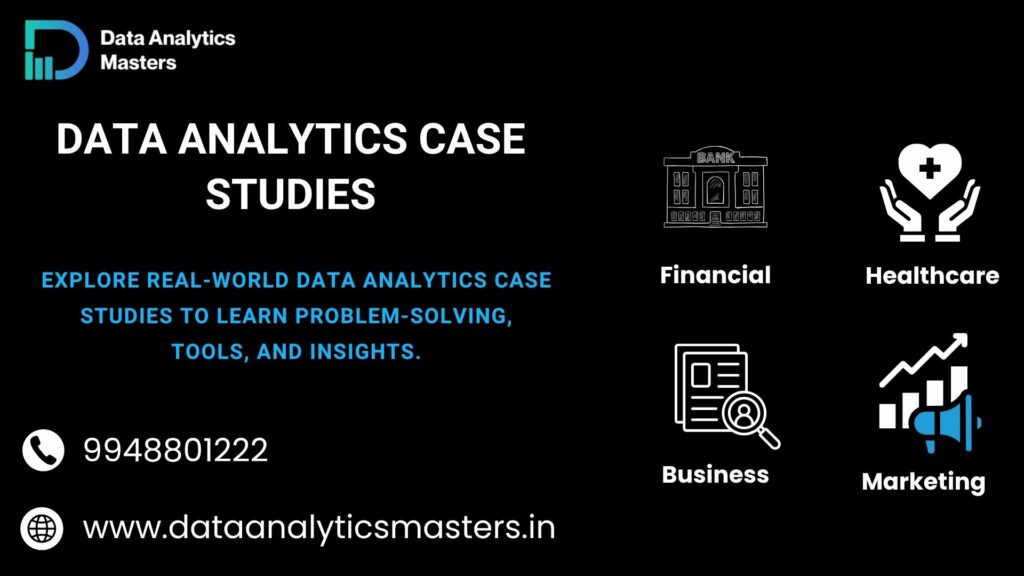
What are Data Analytics Case Studies?
When you start learning data analytics, one important thing you will come across is case studies. In simple terms, case studies help you understand how data is used in real business situations.
Simple Explanation of Case Studies
- A case study is a real-world problem solved using data
- It shows how data is collected, cleaned, analyzed, and used to make decisions
- Instead of just learning concepts, you see how those concepts are applied
- It is like practicing with real examples, not just theory
In my experience, students understand faster when they work on case studies rather than only reading concepts.
Why Case Studies are Important in Learning
- Helps you understand how things work in real companies
- Improves your problem-solving skills
- Gives you practical experience with data
- Builds confidence to handle real projects
- Prepares you for interviews with real scenarios
Many learners know tools, but struggle in interviews because they lack real-world understanding. Case studies solve that gap.
Difference Between Theory vs Real-World Application
- Theory:
- You learn concepts, formulas, and tools
- Focus is on understanding “what” and “how”
- Mostly classroom or course-based learning
- Real-World (Case Studies):
- You apply concepts to solve actual problems
- Focus is on “why” and “when” to use them
- You work with real or realistic datasets
- You generate insights that help business decisions
Why Case Studies are Important for Data Analytics Learning
When I guide beginners, one thing I always stress is this—learning tools alone is not enough. You need to understand how to use them in real situations. That is where case studies become very important.
Practical Understanding
- Helps you move from theory to real application
- You learn how data is handled in actual business scenarios
- Understand the full process: data cleaning → analysis → insights
- Makes concepts easier to remember
In simple terms, case studies help you learn by doing, not just by reading.
Problem-Solving Skills
- You learn how to approach real business problems
- Improves logical thinking and decision-making
- Teaches you how to ask the right questions from data
- Helps you find patterns and meaningful insights
A good data analyst is not just someone who knows tools, but someone who can solve problems using data.
Industry Exposure
- Gives you an idea of how companies use data in real life
- Helps you understand different domains like sales, marketing, finance
- Prepares you for real work environments
- Builds confidence to handle real datasets
This exposure makes your learning more practical and job-oriented.
Helps in Interviews
- Most interview questions are based on real scenarios
- Case studies help you explain your approach clearly
- You can showcase your projects and thought process
- Increases your chances of getting selected
Recruiters look for practical knowledge, and case studies help you demonstrate that effectively.
Types of Data Analytics Case Studies
When you start working on case studies, you will notice that they are based on different industries. Each type helps you understand how data is used in real business situations.
Business Analytics Case Studies
These case studies focus on improving business performance using data.
- Sales analysis:
- Analyze past sales data
- Identify top-performing products
- Find low-performing areas
- Revenue growth:
- Understand which products or services generate more income
- Identify opportunities to increase profits
- Support better business decisions
These case studies help you understand how companies improve performance using data.
Marketing Analytics Case Studies
These focus on understanding customers and improving marketing strategies.
- Campaign performance:
- Measure how ads or campaigns are performing
- Identify which campaigns give better results
- Improve return on investment (ROI)
- Customer behavior:
- Study customer preferences and buying patterns
- Identify target audience
- Improve customer engagement
These case studies are very useful for roles related to marketing and growth.
Financial Analytics Case Studies
These case studies deal with financial data and risk management.
- Risk analysis:
- Identify financial risks
- Analyze trends in expenses and losses
- Support better financial planning
- Fraud detection:
- Detect unusual transactions
- Identify suspicious activities
- Improve security and prevent losses
These are commonly used in banking and finance industries.
Healthcare Analytics Case Studies
These focus on improving patient care and medical outcomes using data.
- Patient data analysis:
- Analyze patient records and health data
- Identify patterns in diseases
- Support better diagnosis
- Treatment optimization:
- Improve treatment plans based on data
- Track patient recovery
- Enhance overall healthcare quality
These case studies show how data can make a real difference in people’s lives.
Real-Time Data Analytics Case Studies (Step-by-Step)
In real-world learning, case studies are where everything comes together. You apply tools, concepts, and thinking to solve actual business problems. Let’s look at a few simple, practical examples.
Case Study 1: Sales Data Analysis
This is one of the most common case studies for beginners.
- Problem statement:
A company wants to understand its sales performance and identify areas for improvement - Data cleaning:
Remove duplicates, handle missing values, and organize sales data properly - Insights:
- Identify top-selling products
- Find low-performing regions
- Analyze monthly sales trends
- Dashboard:
Create a simple dashboard using Excel or Power BI to present insights clearly
This case study helps you understand how businesses track and improve sales performance
Case Study 2: Customer Segmentation Analysis
This case study focuses on understanding customers.
- Identifying customer groups:
Group customers based on age, location, purchase behavior - Using data patterns:
Analyze buying patterns to identify high-value customers - Business insights:
- Target the right audience
- Improve marketing strategies
- Increase customer retention
This is a very important case study for marketing and business roles
Case Study 3: Marketing Campaign Analysis
This case study helps evaluate marketing efforts.
- Campaign performance tracking:
Measure clicks, conversions, and engagement - ROI analysis:
Compare money spent vs results achieved - Improvement strategies:
- Identify which campaigns are working
- Optimize future campaigns
- Reduce unnecessary spending
Helps businesses make better marketing decisions using data
Case Study 4: E-commerce Product Analysis
This case study focuses on product performance.
- Best-selling products:
Identify products with highest sales - Customer trends:
Understand what customers prefer and when they buy - Recommendation insights:
Suggest products based on customer behavior
This is widely used in e-commerce platforms to improve sales and customer experience
Tools Used in Data Analytics Case Studies
When working on data analytics case studies, tools play a very important role. They help you handle data, analyze it, and present insights in a clear way. As a beginner, you don’t need to learn everything at once—focus on the right tools step by step.
Excel
- Used for basic data analysis and reporting
- Helps in data cleaning, sorting, and calculations
- Useful for creating simple charts and dashboards
- Easy to learn and widely used in companies
Excel is the best starting point for beginners to understand data handling.
SQL
- Used to extract data from databases
- Helps in filtering, sorting, and combining data
- Handles large datasets efficiently
- Essential skill for working with real company data
Most business data is stored in databases, so SQL is a must-have skill.
Python
- Used for advanced data analysis
- Helps in handling large datasets and automation
- Useful for data cleaning, transformation, and analysis
- Supports libraries like Pandas and NumPy
Python allows you to go beyond basic analysis and work on complex problems.
Power BI / Tableau
- Used for data visualization and dashboard creation
- Helps in presenting data in a clear and interactive way
- Useful for business reporting and decision-making
- Makes insights easy to understand for non-technical users
Visualization tools help you communicate your findings effectively.
Step-by-Step Approach to Solve Case Studies
When you work on any data analytics case study, following a clear process is very important. Over the years, I’ve seen that students who follow a structured approach understand better and get better results.
1. Understand the Problem
- Clearly read and understand the business question
- Identify what needs to be solved
- Ask simple questions like: What is the goal? What decision is needed?
If you don’t understand the problem properly, the entire analysis can go in the wrong direction.
2. Collect Data
- Gather relevant data from available sources
- Ensure the data is related to the problem
- Check if the dataset is complete and usable
Good analysis always starts with the right data.
3. Clean Data
- Remove duplicates and errors
- Handle missing or incorrect values
- Format data properly for analysis
Clean data is the foundation of accurate results.
4. Analyze the Data
- Explore patterns, trends, and relationships
- Use tools like Excel, SQL, or Python
- Apply basic statistical thinking
This is where you start finding meaningful insights from the data.
5. Visualize the Data
- Convert data into charts and graphs
- Create dashboards for better understanding
- Highlight key trends and comparisons
Visualization makes complex data easy to understand.
6. Present Insights
- Explain your findings in simple language
- Focus on key takeaways, not just numbers
- Suggest actions based on your analysis
A good data analyst not only finds insights but also communicates them clearly.
Data Analytics Case Studies for Freshers (Beginner-Friendly)
If you are a fresher or just starting your journey, the best way to learn data analytics is by working on simple and easy-to-understand case studies. You don’t need complex datasets in the beginning. Start small and build confidence step by step.
Simple Datasets
- Begin with small and clean datasets
- Use basic data like sales records, student data, or simple business data
- Avoid very large or complex datasets at the start
- Focus on understanding data rather than struggling with size
Simple datasets help you learn concepts clearly without confusion.
Step-by-Step Solutions
- Follow a clear process for every case study
- Understand the problem first
- Clean and prepare the data
- Analyze step by step
- Create simple visualizations
Learning step by step helps you avoid mistakes and build a strong foundation.
Easy Understanding
- Focus on simple explanations, not complex techniques
- Try to understand why you are doing each step
- Practice regularly with small examples
- Don’t rush into advanced tools too quickly
The goal is not to learn fast, but to learn clearly and correctly.
Common Mistakes to Avoid in Case Studies
When working on case studies, many beginners make simple mistakes that affect their results. Avoiding these mistakes can improve your understanding and make your work more professional.
Skipping Data Cleaning
- Using raw data without cleaning leads to incorrect results
- Missing values, duplicates, and errors can affect analysis
- Always check and prepare your data before starting
Clean data is the foundation of accurate insights.
Wrong Assumptions
- Jumping to conclusions without proper analysis
- Not verifying data before making decisions
- Misinterpreting patterns or trends
Always let data guide your conclusions, not assumptions.
Poor Visualization
- Using wrong charts that confuse the audience
- Overloading dashboards with too much information
- Not highlighting key insights clearly
Good visualization should be simple, clear, and easy to understand.
Not Explaining Insights Clearly
- Showing numbers without explanation
- Using complex language that others cannot understand
- Not connecting insights to business decisions
A data analyst’s job is not just analysis, but also clear communication.
How Case Studies Help You Get a Job
When it comes to getting a job in data analytics, knowledge alone is not enough. Recruiters look for practical skills, and case studies play a key role in proving your ability.
Portfolio Building
- Case studies become strong projects for your portfolio
- Show your ability to work with real data
- Help you demonstrate your skills clearly
- Make your resume stand out from others
A good portfolio can create a strong first impression for recruiters.
Interview Preparation
- Many interview questions are based on real scenarios
- Case studies help you explain your approach step by step
- You can confidently discuss your projects and insights
- Improves your problem-solving explanation skills
Practical examples make your answers more convincing.
Real-World Experience
- Helps you understand how companies use data
- Exposes you to real business problems
- Teaches you how to handle real datasets
- Prepares you for actual job responsibilities
This experience bridges the gap between learning and working.
Confidence Building
- Working on real problems increases confidence
- You become comfortable with tools and data
- Reduces fear during interviews and job tasks
- Helps you trust your own analysis
Confidence comes from practice, and case studies provide that practice.
FAQs
1. What are case studies in data analytics?
Case studies are real-world problems solved using data. They help you understand how data is collected, analyzed, and used to make business decisions effectively.
2. Are case studies important for jobs?
Yes, case studies are very important for jobs. They show your practical skills, improve your problem-solving ability, and help you explain real scenarios during interviews confidently.
3. How to practice data analytics case studies?
Common tools include Excel, SQL, Python, and Power BI or Tableau. These tools help in data cleaning, analysis, and visualization for solving real-world problems.
4. Which tools are used in data analytics case studies?
Most courses take around 3 to 4 months, depending on the depth of training and learning pace.
5. Can beginners work on data analytics case studies?
Yes, beginners can start with simple case studies. Basic knowledge of Excel and data concepts is enough to begin and gradually move to advanced topics.
6. What type of case studies should beginners start with?
Beginners should start with simple case studies like sales analysis, customer data, or basic reports. These are easy to understand and help build confidence step by step.
7. How many case studies are needed for a portfolio?
You should have at least 2 to 4 strong case studies. Quality matters more than quantity. Well-explained projects can improve your chances of getting shortlisted.
8. Do case studies require coding skills?
Not always. Beginners can start with Excel and basic tools. Coding becomes useful later when working on advanced analysis using Python or R.
9. How do case studies help in interviews?
Case studies help you explain your approach clearly. You can discuss your projects, insights, and problem-solving methods, which makes your answers more practical and convincing.
10. Where can I find data for case studies?
You can find datasets on platforms like Kaggle, Google Dataset Search, or use sample business data. Many training programs also provide datasets for practice.

 in Hyderabad by Brolly.Group